Skip to content

Your home. Your people.

Less keeping track.More living together.

The electricity bill, Saturday dinner, whose turn it is this week… Shared expenses, chores and plans in one place, with your people.

Log inSee how it works

Free, with no ads · Create a home or join one.

Download on the App Store
flatkin.app
HomeExpensesCalendarBoard
The Courtyard House

It’s good to be home.

Everything you share, all in one place.

Your share this month€68.63
Total household spending€274.47
Recent expenses
Gas billPaid by Marta
€56.70
Coming up at home
OCT29
Clean the bathroom29 Oct · Sergio’s turn
Nora · 27 OctPinned

Dinner at home on Saturday. Shall we say 9 pm?

Gas€56.70

Each person’s share

Marta€14.18
Sergio€14.18
Nora€14.17
Pablo€14.17
A look inside Flatkin · Example data

Money, made clear.

See what’s been paid and how much each person shares.

Everyday life, in one place.

Chores, time away, plans and notes for everyone at home.

Your people, connected.

A link to join. Notifications for the people involved.

YOUR HOME, YOUR WAY

Two ways to manage shared money.

Choose the one that works for your household when you create your home.

ONE PERSON HANDLES THE BILLS

One person pays and collects

One person pays the bills, and everyone else gets a clear monthly statement. Advances are deducted or reimbursed.

Sergio · October
Your share of expenses
€68.63
You’ve paid in advance
€20.00
To pay Marta
€48.63
Private rent amounts

If you add rent, each amount is visible only to the home admin and the person paying it.
EVERYONE CAN PAY

Anyone pays, everyone shares

Anyone can pay an expense. Flatkin tracks net balances and suggests transfers to settle up.

To settle up
Nora → Marta€23.40
Pablo → Sergio€8.15

2 transfers and you’re all settled

Rent isn’t included in this mode.

The home admin can switch modes as long as no payments, rents or deposits have been recorded.Example data

THE DETAIL BEHIND THE NUMBERS

Every expense in its place. Every share clear.

Gas€56.70

12 Oct

Paid by Marta

Split: Equally

Each person’s share

Marta€14.18
Sergio€14.18
Nora€14.17
Pablo€14.17

Split it the way you agreed

Split equally, by shares, with exact amounts or by percentage. Include only the people sharing that expense.

Six months at a glance
Total for October 2026€274.47
Electricity€84.20
Water€48.82
Gas€56.70
Internet€39.00
Cleaning€24.60
Other€21.15

See how your home’s spending adds up

See six months of spending and monthly totals by category: electricity, water, gas, internet, cleaning and other expenses.

A look inside Flatkin · Example data

YOU SHARE MORE THAN EXPENSES

And in between the bills, there’s life.

Coming up at home
OCT29
Clean the bathroom29 Oct · Sergio’s turn
Dinner at home30 Oct · All day
Pablo is away2–4 Nov · Away

Who’s home, whose turn, what’s next

A calendar for time away, chores and plans at home. In the iPhone and Android apps, you can enable reminders for your turns.

Nora · 27 OctPinned

Dinner at home on Saturday. Shall we say 9 pm?

Pablo · 27 Oct

There’s lasagne in the fridge, including a vegetarian one.

Leave a note for your people

Post a note on the board. The home admin can pin the things everyone should see.

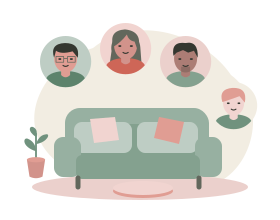
Illustration of four people gathered around a sofa.

FOR THE PEOPLE WHO SHARE A HOME

Every home has its own way.

As a couple, a family, a group of friends or a co-living household. Flatkin helps you organise what you share.

  • Couples
  • Families
  • Friends
  • Co-living

HOW IT WORKS

One shared place. Three first steps.

  1. 1

    Create your home

    Choose your money mode, currency, language and time zone.

  2. 2

    Invite with a link

    The home admin sends each person their own link to join the home.

  3. 3

    Add an expense and split it

    Record expenses and who shares them. Add your chores and plans, too.

CLEAR EXPECTATIONS, LESS GUESSWORK

Know where you stand from the start.

Recording a payment doesn’t move money

Flatkin keeps the records. You make the actual payments outside Flatkin.

Notifications for the people involved

In the iPhone and Android apps, people in a new expense’s split can receive an alert if they have notifications enabled. The person who added it won’t receive one.

FREQUENTLY ASKED QUESTIONS

Before you step inside.

How do I get started?

On the web, sign in with Google and create a home or join an existing one. Invite your people with a link.

Do I need an account to join a home?

In the iPhone and Android apps, you can join as a guest with your invitation link, without signing up first. On the web, you need to sign in with Google.

Does Flatkin make payments?

No. Recording a payment doesn’t send or move money. Flatkin is a household ledger, not a bank.

Can we change our money mode?

Yes. The home admin can switch modes as long as no payments, rents or deposits have been recorded. “One person pays and collects” supports private rent amounts. “Anyone pays, everyone shares” doesn’t include rent.

Where can I use Flatkin?

On the web. There’s also an iPhone app on the App Store and an Android app in beta.

Is Flatkin available in Spanish, English, Portuguese and French?

Yes. In the app, each person chooses their language in Settings. Each home has its own number and date format, currency and time zone.

A place for everything you share.

Your home. Your people. A little more order for everyday life.

Log in

Free, with no ads · Create a home or join one.

Download on the App Store